Article
Share Large Files (up to 1GB) On Your Android Device With Kik & Putlocker
November 7, 2012 Updated February 19, 2017 1 min read A
Want to send BIG files to your friends on kik? Well now theres a new way to do it! Its easy for all android users.
- Download the Putlocker Android App You can get it on Google Play or check out the Pulocker Android Website.
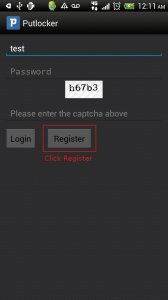
- Sign Up a new account
If you don't already have a putlocker account then press the register button(shown below) to set one up. This account will also be accessible from your desktop for easy file sharing between those devices. Otherwise, if you have an account, enter your credentials and select Log In to get access to your files.
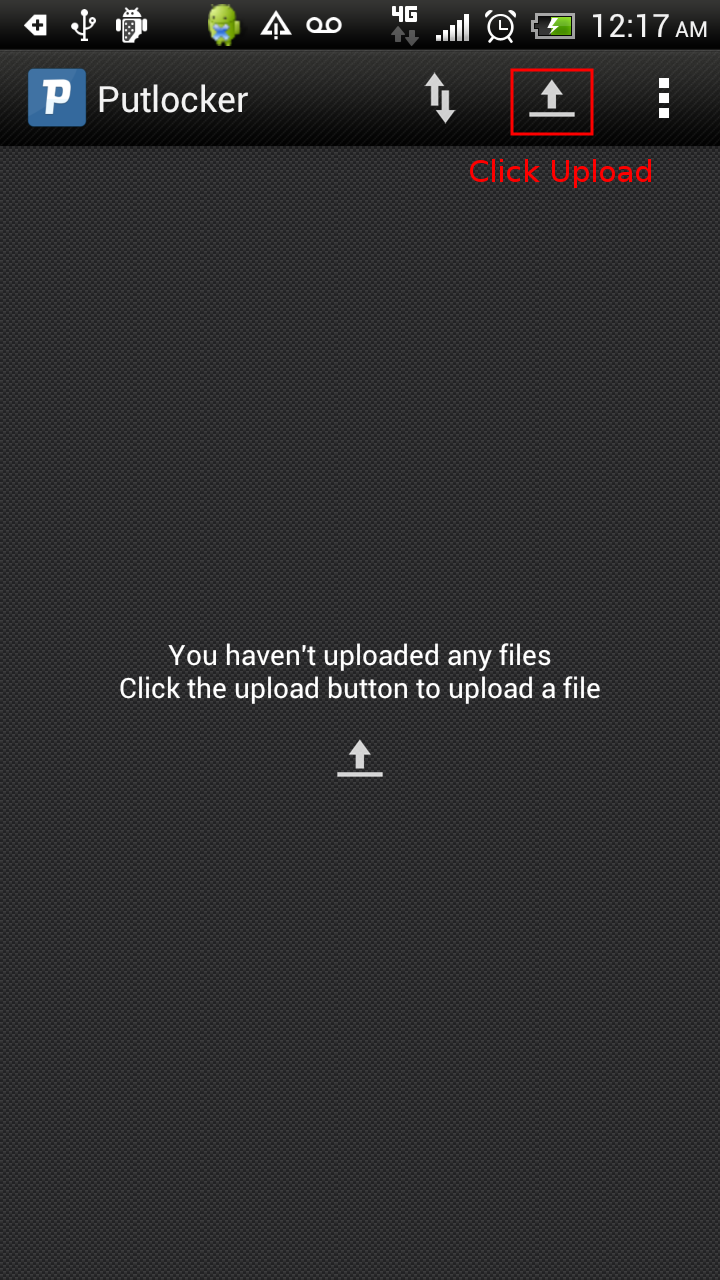
- Click the upload button
Choose your file either from your gallery or from a directory on the your Android device:
- Wait for the upload to complete The status bar will let you know when the file is in the Putlocker cloud and ready to share. You can minimize the application and the upload will continue in the background!
- Select the options menu and click share
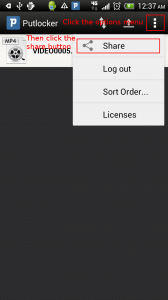
- Click the file that was uploaded, and then click share on Kik